
Video2PPT vs UniScribe
Compare Video2PPT and UniScribe for visual slide extraction, video transcription, summaries, mind maps, key questions, and learning workflows.
Verdict
Choose Video2PPT when visual frames, slide states, charts, code, or UI moments need to stay attached to transcript context. Choose UniScribe when spoken content, summaries, notes, and text-first study workflows are the main output.
- Video2PPT is built around extracting visual and transcript context from existing videos.
- UniScribe is strongest when its primary workflow matches your source material and output target.
- The right choice depends on input type, output fidelity, editing needs, and cleanup time.
Evidence reviewed from product pages
This comparison is based on the public product surfaces reviewed with Playwright screenshots: Video2PPT's home and workflow pages, plus UniScribe's public marketing or product pages. The goal is to compare actual product positioning, not generic category labels.
UniScribe public positioning
The captured UniScribe page focuses on converting audio and video to text, including uploads, YouTube links, summaries, mind maps, key points, questions, exports, and sharing.
Video2PPT transcription context
Video2PPT has a speech-to-text route, but the broader product surface is still video-to-slide extraction and export.
Comparison implication
The comparison is not about which tool can handle audio, but whether the user needs text-first notes or visual-first slide artifacts.
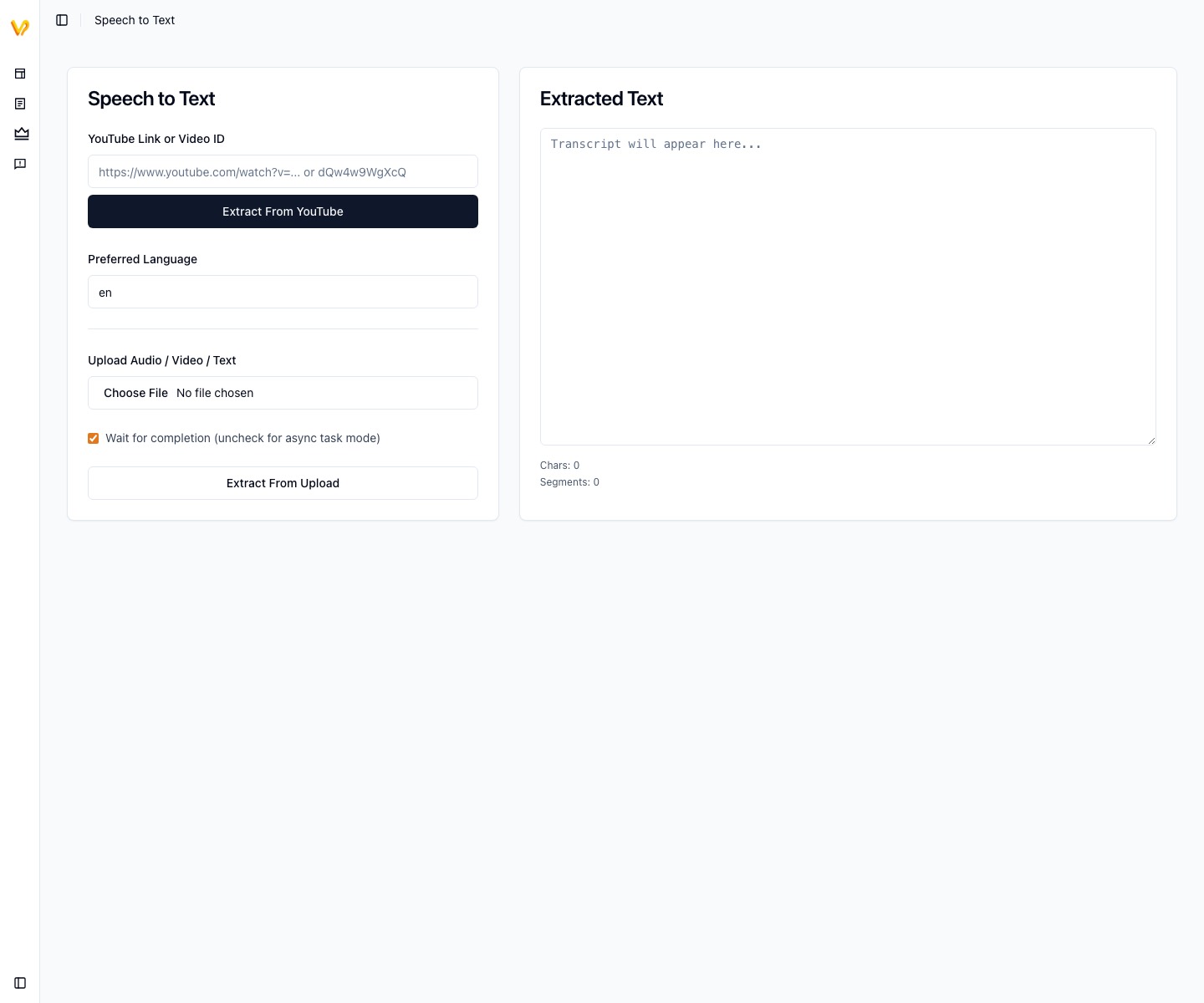
Video2PPT transcript workflow
Video2PPT's transcript-related public workflow used for the UniScribe comparison.

UniScribe public product surface
UniScribe's public page captured to compare text-first video summarization positioning.
GIF walkthrough placeholder
These placeholders mark the product moments that should become short GIFs for stronger search intent coverage and clearer comparison evidence.
GIF slotGIF placeholder: visual anchors plus transcript
Replace this image with a GIF showing extracted slide frames next to transcript context, then a text-first summary workflow as the contrast.
Understanding the workflow and ideal use cases
Video2PPT workflow
Use Video2PPT when visual slide extraction matters: lecture slides, screen recordings, charts, UI states, whiteboards, and video moments that need to become presentation material.
Extract slides from videoUniScribe workflow
Use UniScribe when the primary goal is text-first understanding: audio/video transcription, summaries, mind maps, key questions, exports, and shareable notes.
Visit UniScribeProduct-specific details to evaluate
Video2PPT proof point
Video2PPT has both visual extraction and transcript-adjacent routes, so the comparison should focus on when visuals need to remain attached to the spoken explanation.
UniScribe proof point
UniScribe is stronger to evaluate as a text-first learning, summary, transcript, mind-map, and note workflow.
Fair test
Use one slide-heavy lecture and one audio-heavy interview. The right answer should change between the two sources.
Decision criteria
Video2PPT is visual-first; UniScribe is text-first
The clearest difference is the primary artifact. Video2PPT turns videos into slide-like visual outputs supported by transcript context. UniScribe turns audio and video into text outputs such as transcription, summaries, mind maps, key points, and questions.
Choose Video2PPT when the visual timeline matters
For a recorded course, software demo, data presentation, or webinar, the most valuable information may be on the screen. In those cases, text alone is incomplete. Video2PPT is better suited to capture visual anchors and organize them into a deck or study artifact.
Choose UniScribe when spoken content is the main asset
If the source is a podcast, interview, audio lecture, voice memo, or meeting where the screen adds little value, UniScribe is closer to the job. It emphasizes transcription and learning aids rather than slide extraction.
The best learning workflow may use both
For serious study, the strongest output is often a visual deck plus clean notes. Use Video2PPT to recover the visual structure and UniScribe-style text workflows when detailed transcript cleanup, summaries, and knowledge maps are the priority.
What to evaluate before choosing
Open the source video and ask whether the screen or the spoken audio carries more value. If pausing the video reveals important charts, UI states, formulas, or slides, choose a visual extraction workflow. If listening is enough, choose a text-first transcription workflow.
Summary
| Feature | Video2PPT | UniScribe |
|---|---|---|
| Primary workflow | Extract visual slide material and transcript context from videos. | Convert audio and video to text, summaries, mind maps, key points, and questions. |
| Starting point | Video where the screen, slides, or visuals are important. | Audio, video, or YouTube content where spoken content is the main value. |
| Output emphasis | PPT, PDF, image exports, Word-style outputs, and visual learning artifacts. | Transcripts, summaries, mind maps, key questions, text exports, and share links. |
| Visual fidelity | Preserves screen content and slide-like frames. | May not preserve visual slide states as the core output. |
| Transcript role | Supports the visual deck and explains extracted frames. | The transcript is the central artifact. |
| Best source | Slide-heavy videos, product demos, screen recordings, webinars, online courses. | Podcasts, interviews, audio-heavy lectures, meetings, and spoken explanations. |
| Weak fit | Audio-only content where no visual extraction is needed. | Cases where the user needs a reusable visual deck from the video. |
| Best user | Users who need reusable visual materials and presentation artifacts. | Users who mainly need searchable notes, summaries, or text-based study aids. |
FAQ
Is Video2PPT a transcription-only tool?
No. Transcription is useful context, but the core workflow is converting visual video content into presentation artifacts.
When is UniScribe a better fit?
When you mainly need text summaries, searchable notes, or mind-map style understanding instead of slide extraction.
Which tool is better for podcasts?
UniScribe is usually a better fit for podcasts because the output is text-first and the source has little visual material to extract.
Which tool is better for lecture recordings with slides?
Video2PPT is usually better when the slides or screen content need to become reusable presentation material.
Can Video2PPT replace a transcription tool?
Not completely. Video2PPT can use transcript context, but its main value is visual extraction and presentation-oriented export.
Need a practical test?
Use the same video in both tools and compare slide relevance, missing key moments, transcript usefulness, export format, and cleanup time.