
Video2PPT vs FreeConvert
Compare Video2PPT and FreeConvert for AI-assisted video-to-slide extraction versus general-purpose file conversion, PPT conversion, and format-changing workflows.
Verdict
Choose Video2PPT when the job is to understand a video and extract useful slide moments. Choose FreeConvert when the job is simply to change a file from one format to another.
- Video2PPT is built around extracting visual and transcript context from existing videos.
- FreeConvert is strongest when its primary workflow matches your source material and output target.
- The right choice depends on input type, output fidelity, editing needs, and cleanup time.
Evidence reviewed from product pages
This comparison is based on the public product surfaces reviewed with Playwright screenshots: Video2PPT's home and workflow pages, plus FreeConvert's public marketing or product pages. The goal is to compare actual product positioning, not generic category labels.
FreeConvert public positioning
The captured FreeConvert homepage presents a general file converter for 2000+ audio, image, video, e-book, document, and archive conversions.
PPT converter positioning
The captured PPT converter page focuses on converting files to PPT format online, with quality, browser access, and security messaging.
Comparison implication
FreeConvert solves format compatibility. Video2PPT solves the content extraction problem of turning long videos into useful slides.
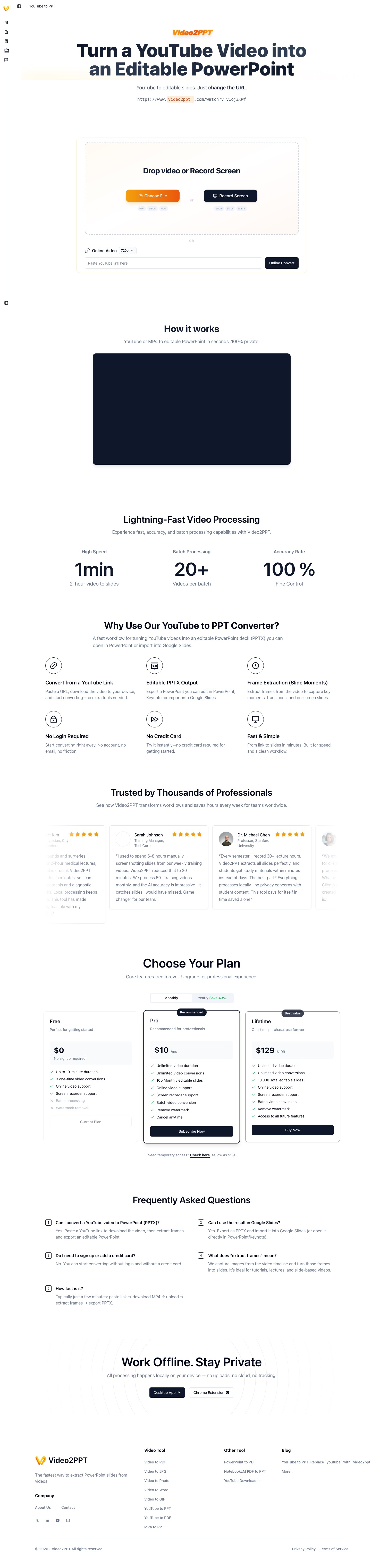
Video2PPT conversion workflow
Video2PPT's online video conversion workflow used for comparison with file conversion tools.
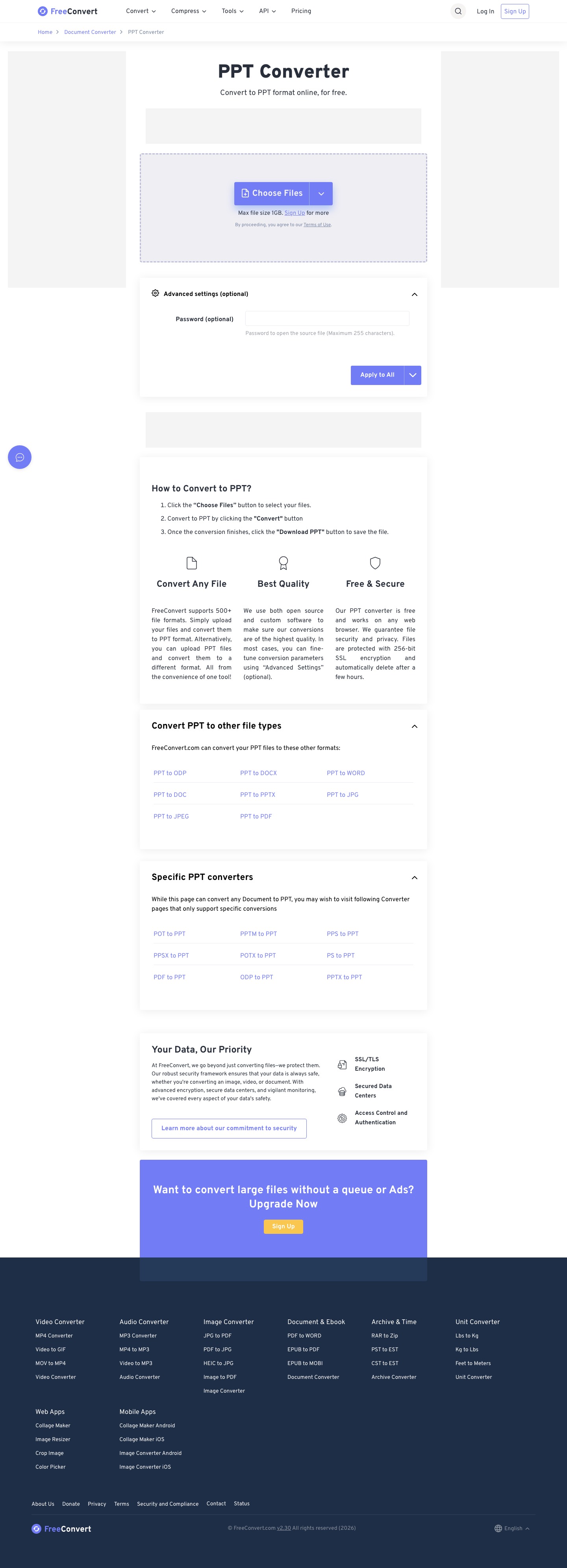
FreeConvert converter surface
FreeConvert's PPT conversion surface captured for comparison with Video2PPT's content extraction workflow.
GIF walkthrough placeholder
These placeholders mark the product moments that should become short GIFs for stronger search intent coverage and clearer comparison evidence.
GIF slotGIF placeholder: useful slide extraction, not just conversion
Replace this image with a GIF showing key frames selected from a long video and exported as a useful PPTX/PDF, contrasting with a plain format-conversion flow.
Understanding the workflow and ideal use cases
Video2PPT workflow
Use Video2PPT when you need to understand video content, select meaningful frames, preserve key visual moments, and export learning or presentation artifacts.
Convert video into slidesFreeConvert workflow
Use FreeConvert when you need a broad online file converter for common audio, image, video, e-book, document, archive, or PPT format conversion tasks.
Visit FreeConvertProduct-specific details to evaluate
Video2PPT proof point
Video2PPT samples the visual timeline, filters meaningful frames, lets users select or crop slides, and exports presentation-oriented files.
FreeConvert proof point
FreeConvert should be evaluated as a broad format converter where the main job is changing file type, not understanding a recording.
Fair test
Ask whether the output lets a learner understand the original lecture without rewatching the full video. That is a content reuse test, not a format conversion test.
Decision criteria
FreeConvert changes formats; Video2PPT extracts meaning
FreeConvert is a general converter. Its value is breadth: many file types, many conversion paths, and quick browser-based format changes. Video2PPT is narrower but deeper for one workflow: turning video content into presentation and study artifacts.
A PPT file is not always a useful presentation
A format converter can produce a PPT-compatible file, but that does not mean it has identified the important teaching moments inside a video. Video2PPT focuses on choosing frames and context so the result is useful as a deck, handout, or review material.
Use FreeConvert for compatibility problems
If the problem is that a file is in the wrong format, FreeConvert is the more natural choice. Examples include converting media files, documents, images, archives, or presentation files between supported formats.
Use Video2PPT for content reuse problems
If the problem is that a 60-minute video contains 30 useful slides, a general converter will not solve the core issue. Video2PPT is built for finding those useful visual moments and turning them into reusable outputs.
How to test both tools fairly
Use a video lecture with visible slides. A general converter may produce a converted file, but the test is whether the output is actually useful as a slide deck. Check for key moments captured, duplicate reduction, transcript context, selected-slide export, and readability in the final PPTX or PDF.
Summary
| Feature | Video2PPT | FreeConvert |
|---|---|---|
| Primary workflow | AI-assisted extraction from video content into slides and learning artifacts. | General-purpose file conversion across many formats. |
| Starting point | A lecture, webinar, screen recording, online video, or local video file. | A file that needs to become another file format. |
| Video understanding | Selects meaningful frames and uses transcript context for reuse. | Converts formats rather than analyzing which moments are important. |
| PPT meaning | Creates presentation material from video content. | Converts supported files to or from PPT format. |
| Best output | PPT, PDF, Word, image exports, transcript-supported study material. | Converted audio, video, image, document, archive, and presentation files. |
| Best source | Videos with visible teaching, slides, product screens, or demonstrations. | Files where format compatibility is the problem. |
| Weak fit | One-off file format changes with no need to understand content. | Turning a long recording into a useful slide deck. |
| Best user | Users repurposing videos into learning, documentation, or presentation material. | Users who need quick, broad, browser-based file conversion. |
FAQ
Can a general converter make a useful slide deck from video?
Usually not by itself. A meaningful deck requires choosing important frames and context, not only changing file format.
When should I use FreeConvert instead?
Use it for broad file conversion tasks where content understanding is not required.
Is FreeConvert a video-to-PPT extraction tool?
FreeConvert is a broad file converter. It is not primarily positioned as an AI workflow for selecting meaningful video frames and building learning decks.
Which tool is better for changing file formats?
FreeConvert is usually better for straightforward format conversion. Video2PPT is better when the video content itself needs to be understood and repurposed.
Can Video2PPT convert video to PDF or images?
Yes. Video2PPT has video-to-PDF and image-oriented workflows, but the goal is extracting meaningful video content rather than generic format conversion.
Need a practical test?
Use the same video in both tools and compare slide relevance, missing key moments, transcript usefulness, export format, and cleanup time.