
How to Convert a Static PDF to Editable PPTX
Understand the practical path from static PDF pages to PowerPoint files, including when Video2PPT should preserve pages as slide images and when OCR-based editable reconstruction is worth the extra cleanup.
Best for
Best for lecture handouts, exported slide PDFs, NotebookLM-style PDFs, scanned decks, and training documents where visual fidelity and editability need to be evaluated separately.
Convert NotebookLM PDF to PPTProduct screenshots
These screenshots are captured from real Video2PPT product pages so the guide is grounded in the current workflow UI.
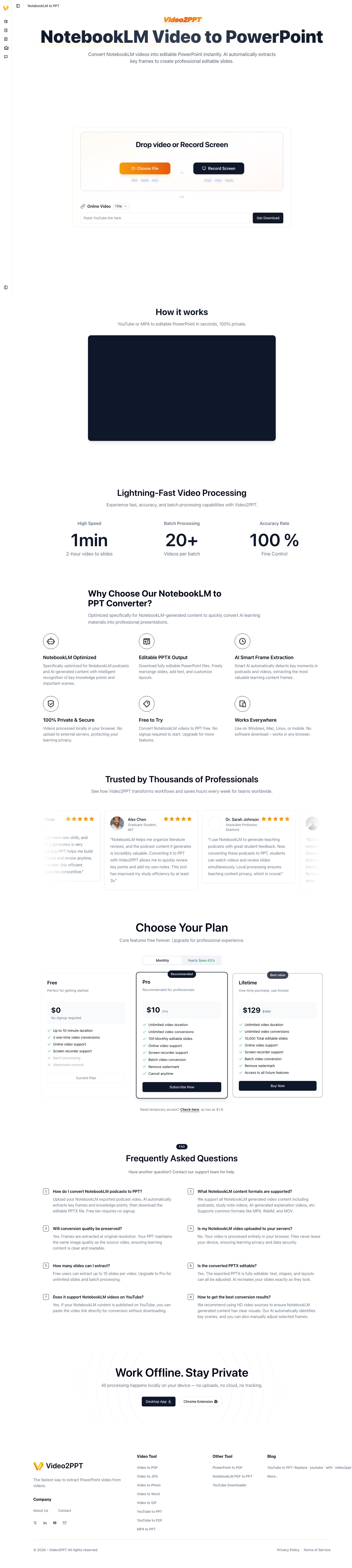
PDF to PPT workflow
The NotebookLM PDF to PPT surface used as the closest public workflow for static PDF conversion.
GIF walkthrough placeholder
These placeholders mark the exact workflow moments that should become short product GIFs.
GIF slotGIF placeholder: PDF pages to PPTX review
Replace this image with a GIF showing PDF upload, page preview, image-based slide generation, and manual review before export.
Step-by-step workflow
- 1Check whether the PDF contains selectable text or only scanned images.
- 2Decide whether the goal is a faithful presentation copy, an editable reconstruction, or a mixed workflow.
- 3Convert each page into a slide canvas when appearance matters most, or run OCR/reconstruction when editable text is required.
- 4Rebuild titles, body text, charts, formulas, and images only where editability actually matters.
- 5Export as PPTX and manually verify layout fidelity before using the file in teaching, sales, or production work.
In-product details
Closest product surface
The current public route points users to NotebookLM PDF to PPT, which is the closest workflow for turning static PDF-like material into presentation output.
Fidelity tradeoff
Image-based slides preserve layout better. Editable reconstruction creates more flexible output but increases OCR, font, chart, and alignment risk.
Quality bar
The final PPTX should be checked slide by slide before client delivery, classroom reuse, or publication.
Static PDF versus editable PPTX
A static PDF preserves appearance, while editable PPTX requires rebuilding page elements. The more complex the PDF layout is, the more manual verification the final deck needs. For many study and teaching cases, image-based slides are the more honest result.
When image-based slides are enough
If you only need to present, annotate, archive, or reuse page visuals, image-based slides are often faster and more faithful than full reconstruction. This is especially true for scanned pages, dense charts, equations, and pages designed outside PowerPoint.
When editable reconstruction matters
Editable PPTX is worth pursuing when you need to rewrite text, change brand styling, translate content, or modify charts. OCR quality and layout complexity become the main constraints, so the right expectation is assisted reconstruction plus human review.
How this connects to Video2PPT's video workflow
Video2PPT already treats extracted video frames as presentation-ready visual pages. PDF-to-PPT works best when it follows the same principle: preserve what needs to stay visually faithful, then edit only the parts where native PowerPoint objects add real value.
Limitations and quality checks
- Source clarity matters: small text, fast scrolling, motion blur, or camera-only footage can reduce slide quality.
- Most video-derived slides preserve visuals as images; editable text reconstruction requires a separate OCR or editable-PPT workflow.
- Review the extracted frames before export so repeated transitions, login screens, and irrelevant moments do not become final slides.
FAQ
Can every PDF become fully editable PPTX?
No. Scanned PDFs, complex tables, formulas, and layered graphics often require manual cleanup after conversion.
Is a static PDF easier than video conversion?
It is usually easier to preserve appearance, but harder to rebuild editable text and layout accurately.
Should I choose editable PPTX or image slides?
Choose editable PPTX when you need to modify content. Choose image slides when visual fidelity is more important than editability.
Why not promise perfect editable conversion?
Because scanned pages, formulas, charts, custom fonts, and dense layouts often cannot be reconstructed perfectly without manual correction.